 With millions of computer users browsing the web at any given time, there are plenty of targets for malicious coders. While computer experts don’t always know why coders choose to build harmful computer programs, the fact is that it happens all the time. Computer viruses can steal personal information, interfere with normal operations, attract spam and even shut down your computer’s hard drive. Protecting your computer is critical for browsing success.
Wednesday, April 13, 2011
How to Protect Your Computer From Viruses
With millions of computer users browsing the web at any given time, there are plenty of targets for malicious coders. While computer experts don’t always know why coders choose to build harmful computer programs, the fact is that it happens all the time. Computer viruses can steal personal information, interfere with normal operations, attract spam and even shut down your computer’s hard drive. Protecting your computer is critical for browsing success.
Computer Tips & Tricks
 Tips for Speeding Up Your PC
Few things are as frustrating as dealing with a slow, sluggish computer. When a computer is brand new, it works wonderfully well. Over time, though, its performance can slowly begin to worsen. This happens for a number of reasons, but the biggest culprits are things like spyware, adware and other computer threats that are unwittingly downloaded along with other content while online. You don’t have to download thousands of MP3s, movies or other items to experience these problems, either – nobody is immune to them. Instead of accepting the situation, there are plenty of techniques and strategies that you can use to make it better – a few of the best ones are outlined below.
Strategy #1: Clean Your Computer’s Windows Registry
The biggest cause of slow, sluggish PC performance is errors and problems within its Windows registry. Adware, spyware and other threats usually target the registry, damaging or misplacing important files within it. When it comes to PC cleaning, a daily Windows registry cleaning should be at the top of your list of priorities. However, this should never be done manually – there are too many opportunities for major errors that could seriously damage your PC’s operating system. Instead, invest in a high-quality Windows registry cleanup program and configure it to run once per day – you won’t believe the difference that it makes.
Strategy #2: Remove Unneeded Files
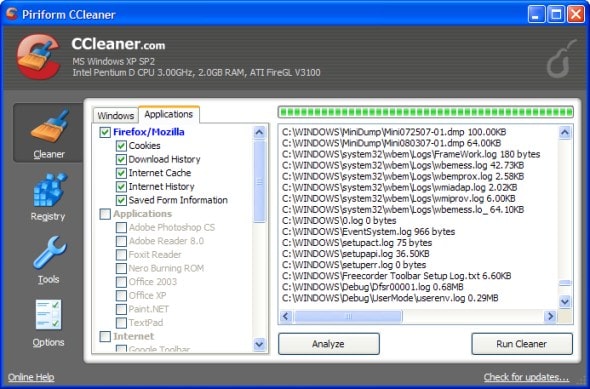
Every time you log on to the Internet or otherwise use your computer, temporary files are generated. They are usually only needed once; however, they don’t disappear on their own. Instead, they accumulate over time until they are cluttering up your computer’s file system and affecting its performance. While it’s possible to remove these files one-by-one, it’s much easier and quicker to use a PC cleaning tool that’s designed for the purpose. Try to do so about one time per week to keep your computer humming along with ease.
Strategy #3: Remove Unneeded Programs
Like many people, you probably download and try out many different programs each month. How many of them do you actually end up using on a regular basis? Chances are, not very many of them. By getting into the habit of uninstalling unused and unneeded programs, you can keep your computer’s file system a lot less cluttered. In turn, your PC’s performance will improve dramatically. You can optimize your computer in this way by using its Add/Remove Programs feature. Its location varies by operating system, but you should be able to find it somewhere in the Control Panel.
Strategy #4: Empty the Recycle Bin
When you click “delete” on a file or a program, it doesn’t go away for good – not immediately, anyway. Instead, it sits in a kind of purgatory in your computer’s Recycle Bin. As things pile up in the Recycle Bin, your computer can start exhibiting some very annoying problems. If sluggish startups and frequent crashes are occurring with increasing frequency – and your computer’s recycle bin is very full – go ahead and empty it. From then on, get into the habit of doing so about one time per week. This small but important strategy can make a huge difference.
Strategy #5: Perform a Disk Defragmentation
Windows isn’t very efficient when it comes to storing files. It actually splits them up, depositing them into whatever spaces are available. The more spaced apart the pieces of a file are, the harder your computer has to work to make them run. The Windows disk defragmentation system tune-up utility works to piece all of those files back together again. The process is a long one, though, and only needs to be done about four times per year. Set it up to run automatically once every three months. By doing so, you’ll be able to keep your computer running in tiptop shape.
When it comes to keeping your computer running optimally, small but regular maintenance is the best way to go. Protecting your PC only does so much; even the most careful Internet users in the world unintentionally download malicious software from time to time. By using basic system tune-up tools, cleaning your computer’s Windows registry regularly, performing regular file-cleaning maintenance and otherwise optimizing your PC, you should be able to keep it in like-new condition for a lot longer. Even if your computer has been performing slowly for some time, beginning this regimen is sure to produce results. In the end, you’ll be able to enjoy a computer that flies along – instead of one that spins its wheels.
Monday, April 11, 2011
Sunday, February 20, 2011
Helping with baying software applications
Purchasing a software application or program can be a big consideration, especially when purchasing advanced and usually expensive programs such as Microsoft Office or Adobe Photoshop. When considering purchasing these programs it is important that you or your staff be familiar with the program and are sure it's going to be capable of what you need it to do.
On this page we've listed several different considerations to think about before buying a computer software application
CompetitionBefore buying any application make sure there is not a competing program that may be cheaper or even free. If available and something that's capable of doing what you want it to do this could save you hundreds of dollars.
A good example of such a program is OpenOffice and Corel WordPerfect that would be a competitor to Microsoft Word. Both programs are an excellent choice for a word processor but can be a considerable price difference. In the case of OpenOffice, it's 100% free.
DocumentationMake sure proper documentation is included. Many programs today will include on-line documentation that is generally more than sufficient. However, it is also useful to obtain a manual or user guide for the software program or application.
LicensesIf you are a company who plans on having software programs used by its employees (more than one person), you will need to consider licensing options. It is required that for each computer a product is installed onto that it have a software license. If a company purchases the program and shares it with all its employees without the proper licensing, this would be illegal and can cause your company to face a criminal lawsuit.
PriceLook at your overall price and shop around. Because a software price can change so easily, you can sometimes save hundreds of dollars on expensive software. If possible, do not purchase directly through the company; many times, the company's price doubles a retailers price.
Be cautious of OEM software. Many resellers will sell a program as OEM, which requires you buy a computer or motherboard. OEM software is software that is included with large manufacturers' computers and will only include either just a CD or a slim manual and CD. This is not what you would find at a retail store. This option is not a bad option, it is only important that you are aware of what you are getting.
PackageLook at the overall software package. How many CDs or diskettes are included, what inserts and documentation is included, and is there any bonus or extra software included?
MediaToday, the majority of software is included on CDs and DVDs. When looking at a program, make sure you have an acceptable drive that's able to read the media, While not common today, an example of why this is important is it's better to receive one CD instead of 32 floppy diskettes.
Wednesday, February 16, 2011
Evaluation about the three blogs
These three blogs is very use full for the knew information about computers and technology's and web sit and, it had allot of advertisement .
Subscribe to:
Posts (Atom)